Understand the HelpGent dashboard
The HelpGent dashboard is the starting point for creating forms, reviewing responses, managing contacts, and opening global settings. This guide explains what each area is for before you create your first form.
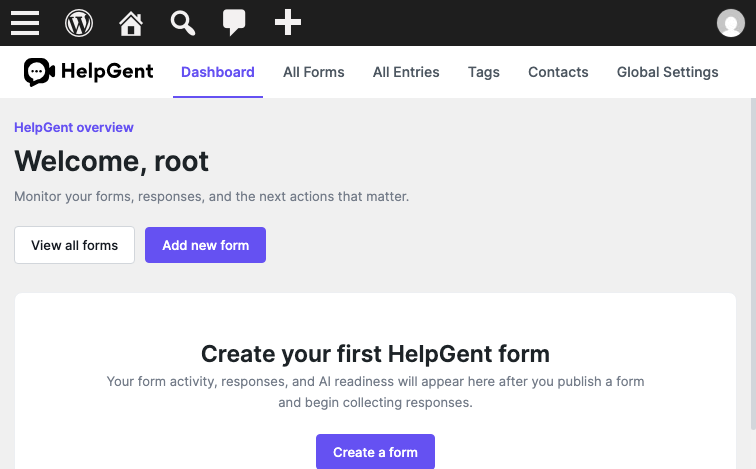
Open the dashboard
- Sign in to your WordPress admin area.
- Go to HelpGent → Dashboard.
- Use the quick actions to view your forms or start a new one.
Main dashboard areas
- HelpGent overview: shows the current dashboard state and quick actions.
- View all forms: opens the list of forms you have created.
- Add new form: starts the form creation flow.
- Activity and performance: becomes useful after your site begins collecting responses.
Use the HelpGent navigation
- Dashboard — overview and activity.
- All Forms — create, edit, publish, and manage forms.
- All Entries — review responses and conversations.
- Tags — organize responses for easier follow-up.
- Contacts — review people captured by your forms.
- Global Settings — manage defaults, notifications, and integrations.
When the dashboard is empty
A new site shows an empty state until you create and publish a form and begin collecting responses. This is expected and does not indicate an installation problem.
Next step
When you are ready to build your first conversation, follow Create your first form.