Draft Better Support Replies with the AI Assistant
The HelpGent AI Assistant, also called Wax Intelligent in the product, can help your team prepare replies using your approved instructions and knowledge sources. It is useful for SaaS support, ecommerce product questions, course support, and any team that answers similar questions repeatedly.
Before you start
- Install HelpGent Pro and activate its license. Confirm the AI Assistant settings and knowledge service are available; this assistant connection is separate from the Account & credits platform pairing used by credit-backed generation workflows.
- Prepare accurate support content, such as product documentation, policies, FAQs, or saved answers.
- Decide whether your team should review every draft manually or allow the assistant to reply automatically in selected situations.
Configure the assistant
- Go to HelpGent → Global Settings → HelpGent AI.
- Open the Assistant tab.
- Enable AI Assistant.
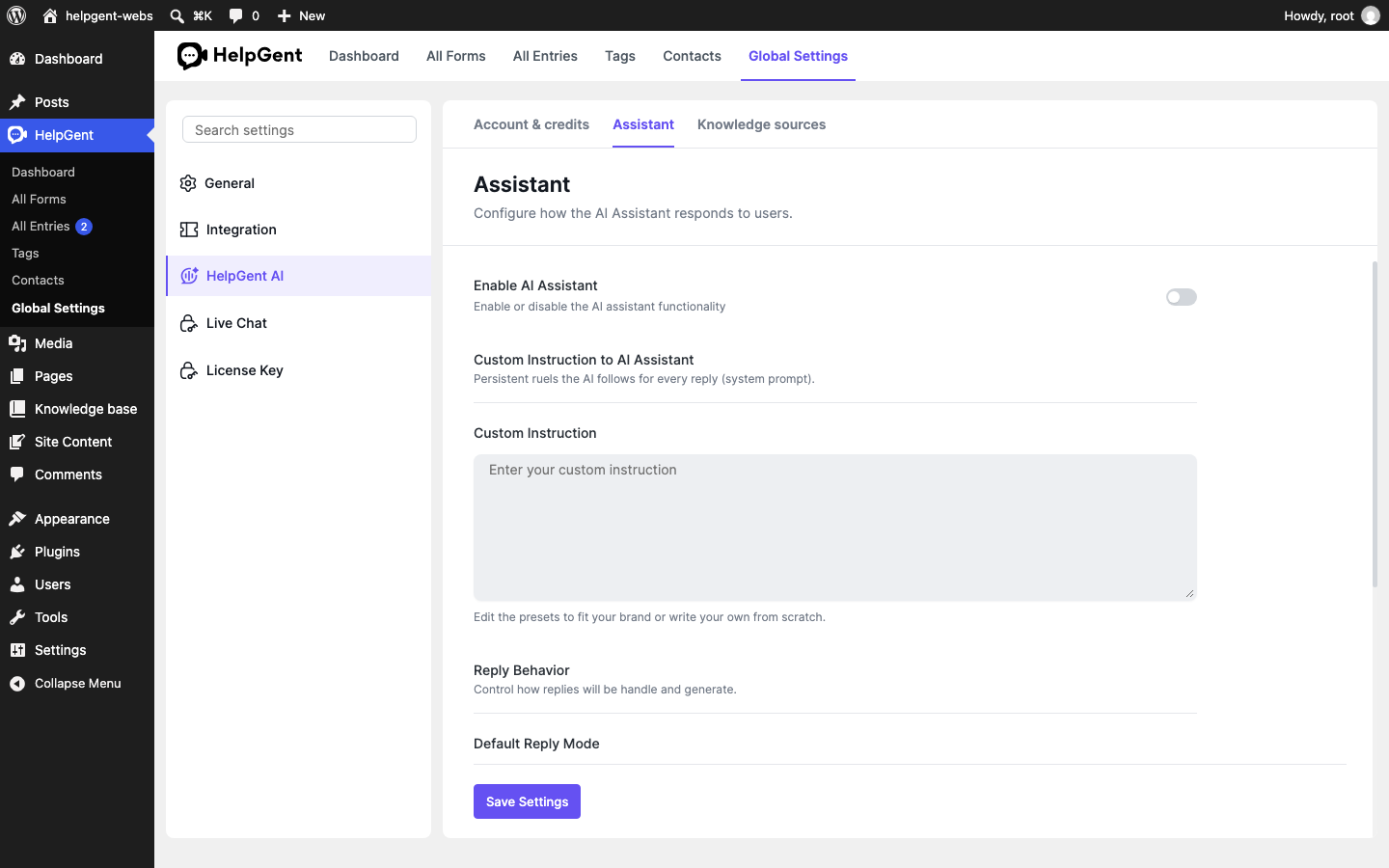
- Enter a Custom Instruction that describes your preferred tone, audience, and reply rules. For example, ask the assistant to be concise, avoid promises about refunds, and link to the relevant help article when one exists.
- Choose a Default Reply Mode. Use Manual when an agent should review every suggestion, or Auto-AI Reply when your workflow is ready for automated replies.
- Configure optional escalation rules for complex issues, customer requests, negative sentiment, consecutive negative responses, or specific Escalation Keywords.
- Select Save Settings.
Add trusted knowledge
- Open the Knowledge sources tab.
- Select Add website URL, Add manually, or Import file.
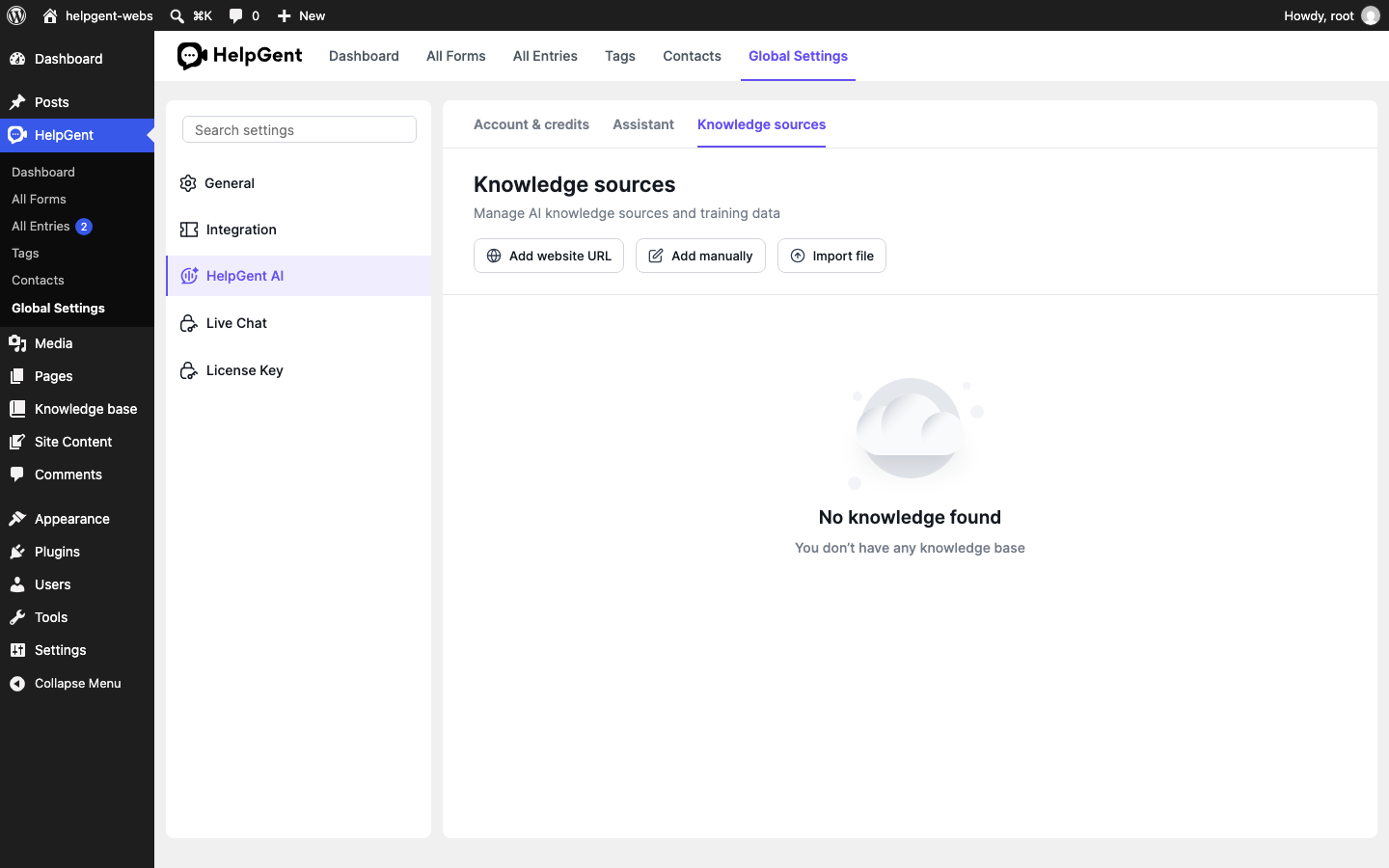
- Add only content that is approved for customer-facing answers, then keep it updated when your product, pricing, or policies change.
Use the assistant while replying
- Go to HelpGent → All Entries and open a conversation.
- Use the AI Assistant or Wax Intelligent control when it is available.
- Review the draft against the conversation and your knowledge sources.
- Edit the message when needed, then send the final reply or let the configured reply mode handle it.
Verify the result
- The assistant uses the intended instruction and knowledge source.
- The reply answers the visitor’s question without unsupported claims.
- Escalation rules send sensitive or complex conversations to a person when appropriate.
Note: AI replies should be reviewed carefully when they involve account access, billing, refunds, legal matters, or other decisions that need a person’s judgment.