Publish your first form
Publish a HelpGent form, then place it on a WordPress page using the generated shortcode. Publishing makes the form available for visitors to complete.
Before you start
- You have created a HelpGent form.
- The form opens correctly in the editor.
- You have a WordPress page where you want to display it.
Publish the form
- Go to HelpGent → All Forms.
- Open the form you want to publish.
- Review the welcome screen, questions, end screen, and settings in the editor.
- Select Publish.
- Confirm that the form status changes from draft to published.
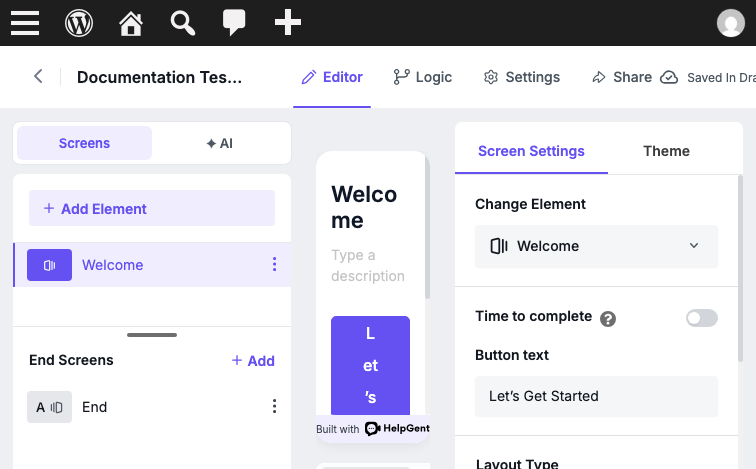
Add the form to a WordPress page
- After publishing, copy the generated shortcode. It follows this format:
[helpgent-form id="123"]- Go to Pages → Add New Page, or open an existing page.
- Add a Shortcode block.
- Paste the HelpGent shortcode into the block.
- Select Publish or Update for the WordPress page.
Choose a sharing option
You can also use Share → Share the link to copy the published form’s Direct link. The optional full-screen shortcode attribute makes an embedded form fill its available shortcode container, but the active WordPress theme can still constrain that container. Use a blank or full-width page template, or use the Direct link for a standalone form route.
Verify the published form
- Open the WordPress page in a logged-out browser window.
- Confirm that the form loads without an unavailable-form message.
- Move through the welcome screen and submit a test response.
- Return to HelpGent → All Entries and confirm that the response is available.
Troubleshooting
The form says it is unavailable
Check that the shortcode uses the correct form ID, that the form is published, and that the core HelpGent plugin is active. If you changed the form after copying the shortcode, copy the current shortcode again from Share → Short code or from the publication confirmation panel.
Return to the Getting Started section to continue with the next HelpGent workflow.