Connect HelpGent AI, Understand Credits, and Buy More
Connect the HelpGent AI platform account before using credit-backed form creation, video funnel generation, and response-analysis workflows. This guide also explains where to check your balance and how to buy additional credits. The AI Assistant connection used for support drafts and automatic replies is a separate service state.
Before you start
- Install and activate HelpGent.
- Install HelpGent Pro and activate a valid Pro license from your HelpGent account.
- Sign in as a WordPress administrator.
Connect your site
- Go to HelpGent → Global Settings → HelpGent AI.
- Open the Account & credits tab.
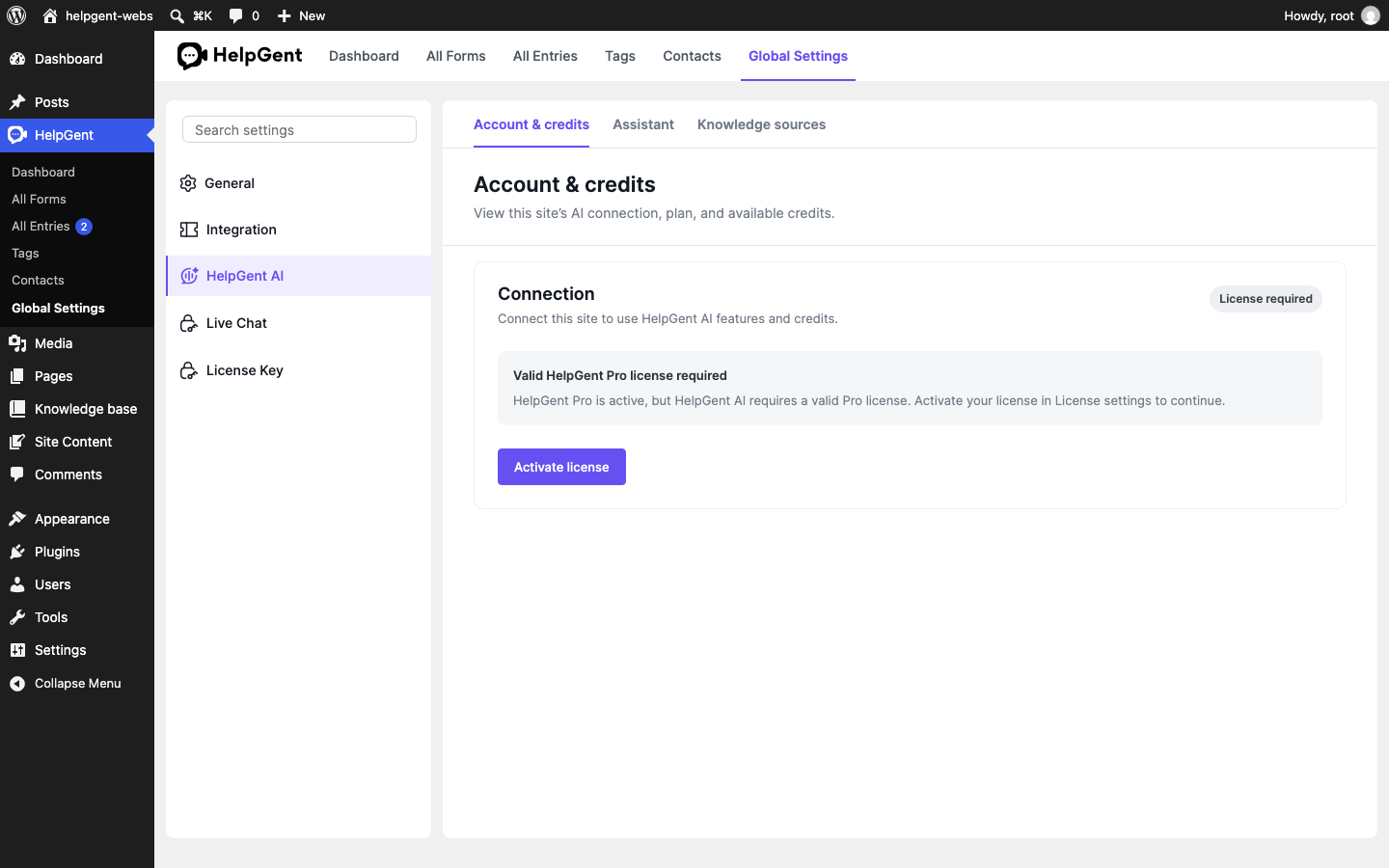
- If the screen shows License required, select Activate license, open License Key, and activate your HelpGent Pro license. Return to the HelpGent AI screen when the license is active.
- If the screen shows Not connected or Needs attention, select Connect HelpGent AI or Retry connection, then complete the account approval flow. Local, staging, and other non-production sites require explicit wpWax approval before platform pairing can complete.
- When the status is Connected, review Available credits, Credits in use, and Plan.
Buy more credits
- From Account & credits, select Buy credits.
- Review the available cards under Choose a credit package.
- Select a package and choose Continue to checkout.
- Complete the checkout process and return to HelpGent.
- Select Refresh credits if the new balance does not appear immediately.
HelpGent’s current screen states that purchased credits never expire and that one credit costs $0.01. The available packages and the credits included with your plan are loaded dynamically, so use the current Plan details and package cards in your account as the source of truth.
Verify the result
- The connection status shows Connected.
- Your account and plan details are visible in Account & credits.
- The balance updates after a purchase or after selecting Refresh credits.
Note: An active Pro license does not by itself confirm platform pairing or non-production approval. AI features that use platform credits show an estimate or exact charge before you confirm an action. A working AI Assistant draft or summary confirms the assistant connection, not the Account & credits platform connection.