Connect Cloud Storage
Cloud Storage lets you move HelpGent media away from the local server and connect a supported storage provider. This is useful for sites that collect many video, voice,…
Cloud Storage lets you move HelpGent media away from the local server and connect a supported storage provider. This is useful for sites that collect many video, voice, or file responses.
Pro feature: Cloud Storage providers and media migration controls are available with HelpGent Pro.
Open Cloud Storage
- Go to HelpGent → Global Settings → Integration.
- Expand Cloud Storage.
- Choose Google Drive or Bunny Drive.
- Select Connect and complete the provider’s authorization or credential step.
- Return to HelpGent and save the integration settings.
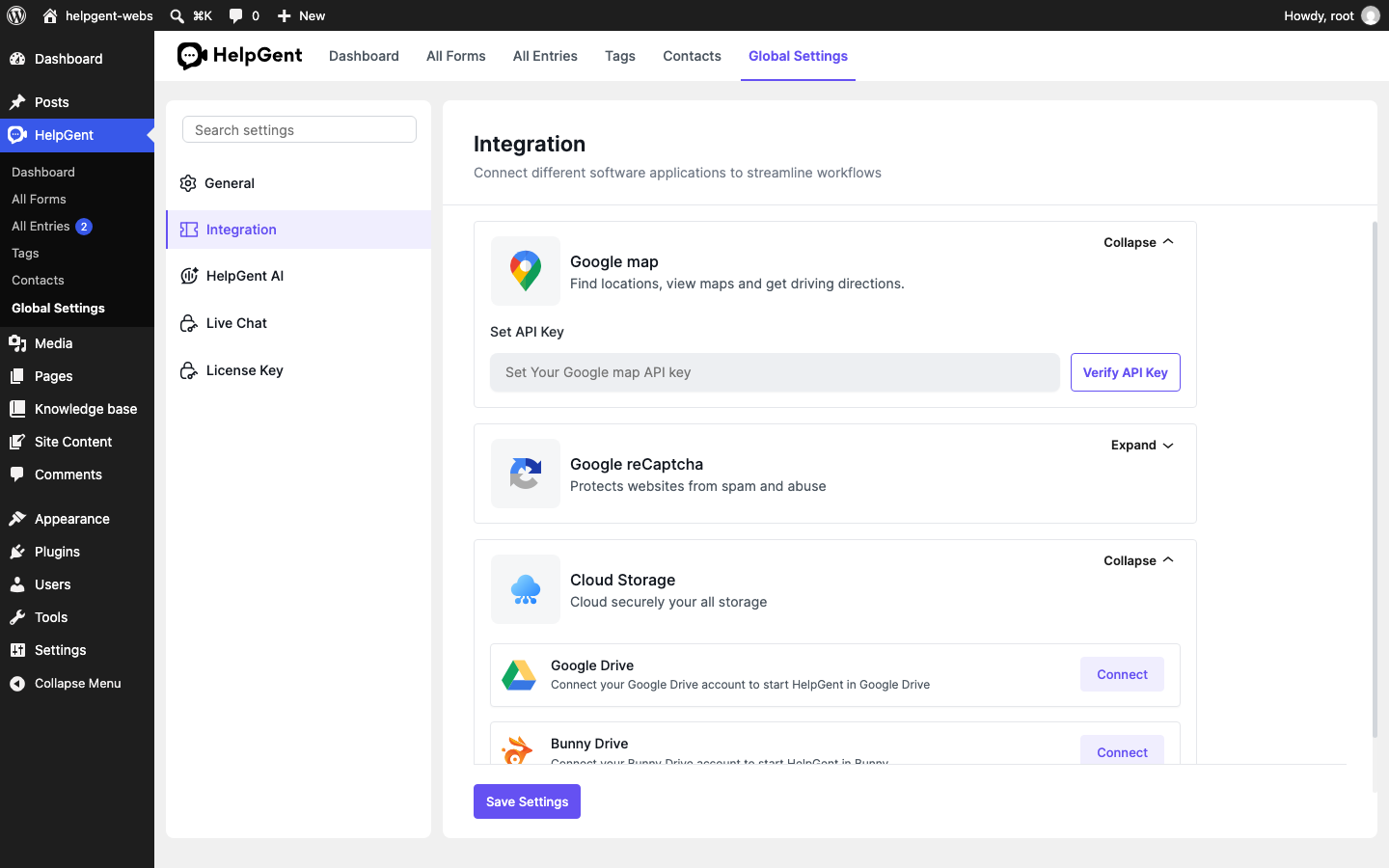
Choose a storage destination
Use the connected provider as the active media destination only after you have confirmed that the account, folder, or storage zone is the one intended for this site. Keep the provider account under the control of the site owner or organization.
Verify the result
- The selected provider shows a connected state.
- New media uploads complete without returning to the local destination.
- An uploaded attachment can be opened from a test response.