Make every important conversation easier to act on.
Collect the context you need, guide people to the right next step, and continue the conversation—all inside WordPress.
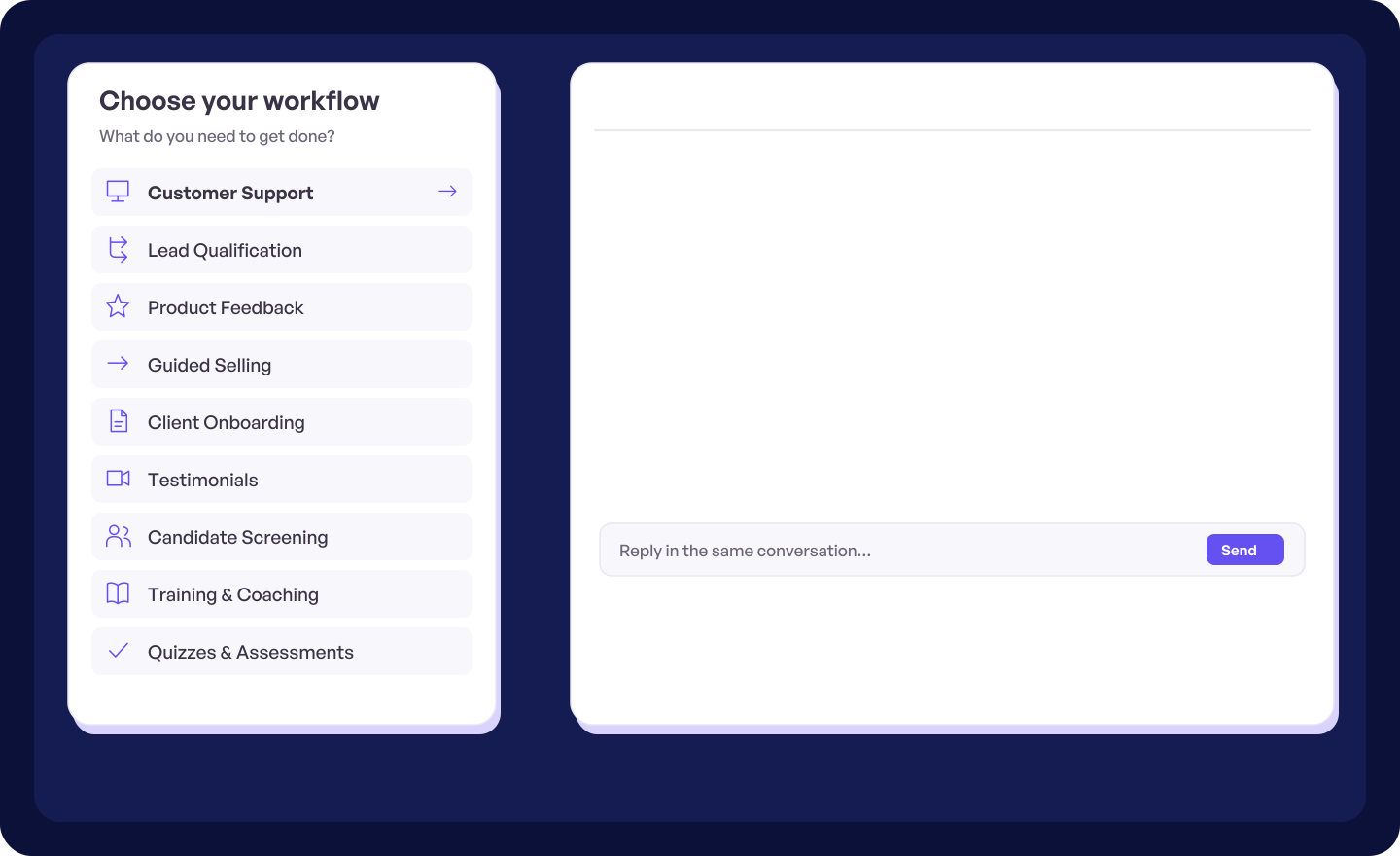
What do you need to get done?
Watch each workflow in action, then open the practical build guide.
-
Customer Support
See the issue. Reply with context.
See workflow: Customer Support -
Lead Qualification
Know the fit before the first call.
See workflow: Lead Qualification -
Product Feedback
See the friction behind the feedback.
See workflow: Product Feedback -
Guided Selling
Guide shoppers to the right choice.
See workflow: Guided Selling -
Client Onboarding
Get the brief before work begins.
See workflow: Client Onboarding -
Testimonials
Turn happy customers into stories.
See workflow: Testimonials -
Candidate Screening
Meet the person before the interview.
See workflow: Candidate Screening -
Training & Coaching
Give guidance. Get progress back.
See workflow: Training & Coaching -
Quizzes & Assessments
Check understanding. Guide the next step.
See workflow: Quizzes & Assessments
See what to ask—and which tools to use.
Choose a use case for a practical walkthrough of the form steps, fields, and HelpGent features behind it.
See the problem before you reply.
Suggested flow: Issue type → problem description → screen recording or screenshot → file upload → urgency → email → message or live chat.
Suggested fields and features
- Multiple choice
- Long text
- Screen recording (Pro)
- File upload
- Conditional logic
- Email field
- AI and live chat
Know who you are meeting before the call.
Suggested flow: Goal → requirements → budget → timeline → fit questions → conditional next step → email or booking link.
Suggested fields and features
- Multiple choice
- Long text
- Number or Range Slider (Pro)
- Date picker
- Conditional logic
- Email and phone fields
- Booking link
See where users get stuck.
Suggested flow: Feature or task → rating → what happened → expected outcome → screen recording → follow-up permission.
Suggested fields and features
- Rating (Pro)
- Promoter Score / NPS (Pro)
- Open Ended response
- Screen recording (Pro)
- Multiple choice
- Conditional logic
- AI response summaries
Guide shoppers to the right choice.
Suggested flow: Need → intended use → preferences → budget → conditional follow-up → recommendation → product link.
Suggested fields and features
- Multiple choice
- Picture Select (Pro)
- Multi Select (Pro)
- Range Slider (Pro)
- Conditional logic
- Video guidance
- Custom outcome links
Start with the full brief.
Suggested flow: Goal → scope → preferences → stakeholders → files → timeline → contact details → confirmation.
Suggested fields and features
- Long text
- Multiple choice
- File upload
- Date picker
- Open Ended response
- Conditional logic
- Email notifications (Pro)
Turn good experiences into credible stories.
Suggested flow: Situation before → why they chose you → experience → result → rating → video, voice, or text story → consent.
Suggested fields and features
- Open Ended response
- Video or voice answers
- Rating (Pro)
- Long text
- Promoter Score / NPS (Pro)
- GDPR consent
- Conditional logic
Shortlist before the interview.
Suggested flow: Role → contact details → video introduction → experience → work sample → availability → scored screening.
Suggested fields and features
- Video response
- Long text
- File upload
- Multiple choice
- Date and time picker
- Quiz scoring
- Conditional logic
Coach without always meeting live.
Suggested flow: Instructions → reflection → assignment → self-rating → submission → personal reply.
Suggested fields and features
- Video instructions
- Long text
- File upload
- Open Ended response
- Rating (Pro)
- Conditional logic
- Reply-back conversation
Check understanding and route the result.
Suggested flow: Instructions → scored questions → progress → timed assessment → result → conditional next step.
Suggested fields and features
- Multiple choice
- Short text
- Quiz scoring
- Quiz timer (Pro)
- Automatic grading (Pro)
- Conditional logic
- Manual review and replies
Start with a flow built for your use case.
Explore 10 ready-made flows for feedback, hiring, sales, support, async work, training, and more. Customize the questions, then publish.
-
Customer Support — Order Status and Delivery Help
Share your order and delivery details so the team can find the latest update.
-
Lead Qualification — Website Redesign Project Fit
Capture goals, scope, timing, and support needs before the first call.
-
Product Feedback — Feature Request and Impact
Describe the capability you need and the work it would improve.
-
Employee Screening — Recorded Role Introduction
Let candidates introduce themselves and explain why the role fits.
-
WooCommerce Sales Guide — Gift Finder
Guide shoppers to thoughtful product picks with a few quick questions.
-
Async Sessions — Weekly Team Update
Capture progress, priorities, and blockers without another meeting.
-
Customer Feedback — Post-Purchase Experience Check
A short post-purchase check-in across delivery, product, and overall satisfaction.
-
Quizzes and Assignments — New-Hire Policy Check
Check understanding of core workplace policies with a short scored quiz.
-
Training and Coaching — One-to-One Coaching Prep
Help people bring a clear goal and useful question to their next coaching session.
-
Testimonials — Before-and-After Story
Capture the starting challenge, the experience, and the result in a guided story.

Questions about using HelpGent
Yes. Combine fields, recorded responses, AI, conditional paths, live chat, and different outcomes in one flow. For example, a support form can collect feedback, qualify urgency, and move the visitor into live chat when needed.
Yes. Ask about the prospect’s problem, requirements, budget, and timing. Their answers can lead to more questions, a booking link, or another appropriate outcome.
Yes. Testers can record their screen, explain where they became confused, and add ratings. HelpGent AI can help identify patterns across their responses.
Yes. Share instructions, collect participant work, review progress, and respond with personal feedback when it suits you.
Yes. Ask shoppers what they need, explain relevant options, and use conditional paths to recommend the most suitable product or next step.
Yes. Change the questions, response types, media, logic, design, and outcomes to fit your workflow.