Build a better conversational experience
A practical guide to planning questions and collecting richer answers.
Read articleGive every visitor a clear, personal way to move the conversation forward.
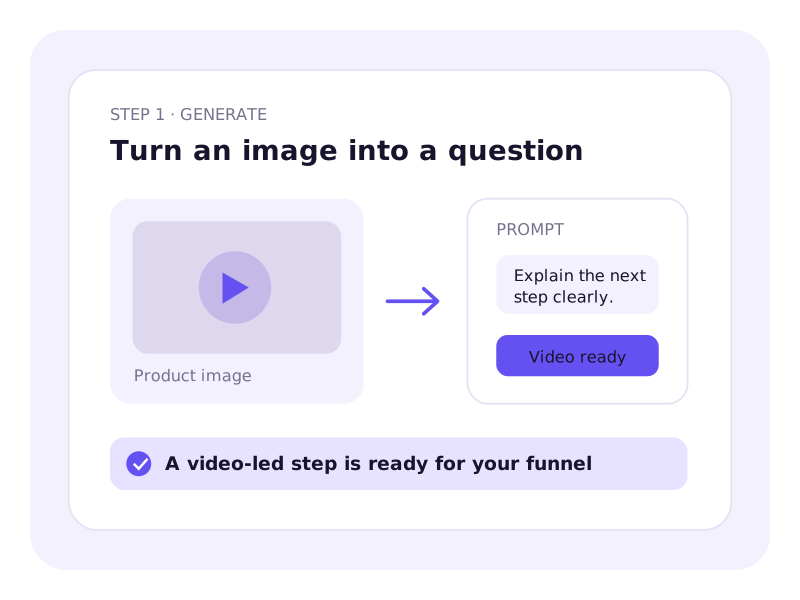
Use video-led questions, conditional paths, richer responses, and tailored outcomes to guide every visitor toward the right next step.
AI Presenter Videos
Turn a photo or short clip into a presenter delivering your message.
Product-led visual
AI Voice Generation
Write your message, and AI creates the audio and combines it with your video.
Product-led visual
Conversational Flow
Let visitors respond, then guide them through the next steps of the conversation.
Product-led visual
Conditional Logic
Send visitors to relevant questions based on the options they choose.
Product-led visual
Rich Response Fields
Collect answers through audio, video, screen sharing, live chat, and 20+ other fields.
Product-led visual
Embedding and Sharing
Embed it on your website, share a direct link, or open it from a floating bubble.
Product-led visual
Learn the workflows, choices, and best practices behind this HelpGent experience.
A practical guide to planning questions and collecting richer answers.
Read articleSee where guided conversations provide more value than standard forms.
Read articleFollow a focused walkthrough from setup to your first response.
Read articleA video funnel combines presenter videos with questions and response fields to guide visitors through a conversation. Use it to collect inquiries, qualify leads, gather feedback, or learn what someone needs.
No. You can generate an AI presenter video from a still photo or a short sample clip. Add your message, choose the available settings, and review the script before generating your video.
Yes. Enter your own script or describe what you want to say. AI creates the spoken audio and combines it with your presenter video.
They continue to the questions you’ve added. You can ask them to choose an option, enter their details, or explain what they need through a recorded or written answer.
Yes. Conditional logic lets you send visitors to specific steps based on the options they choose. For example, a visitor asking for support can receive different follow-up questions from someone making a sales inquiry.
Depending on the fields you add, visitors can type, record audio or video, share a screen recording, upload files, or choose from preset options. Screen recording requires Pro.
Embed it on a WordPress page with a shortcode, share its direct URL, or let visitors open it from a floating bubble on your site.
Yes. Review their response in your HelpGent inbox and continue the conversation with video, voice, or text replies. You and the visitor don’t need to be online at the same time.
Get practical HelpGent tips, product updates, and new guides in your inbox.